
If you build Webflow sites for a living, your best leads are already on Webflow. They know the platform, they've paid for it, and many of them have a site that hasn't been touched in years. The hard part is finding them, and knowing which ones actually need you.
This guide walks through the way we'd do it with Dozif. Right now the database has 5,635 Webflow websites, and each number in this post updates live, so you'll see what's true today.
Why Webflow sites make good leads
A business on Webflow has already decided its website matters. It chose a designer-friendly platform over a free template, and it pays a monthly plan. That's a very different conversation from convincing someone to leave a site builder they've never thought about.
They're also easier to help. You know the platform, you can estimate the work quickly, and you can often improve the site without a full rebuild.
Step 1: Start with every Webflow site
Open the search and pick Webflow as the technology. That's 5,635 sites. Too many to email, but a good starting point.
If you work with certain kinds of businesses, add a niche or a country now. A Webflow agency that knows the legal market will write a much better email to a law firm than to a gym.
Step 2: Look for visible problems
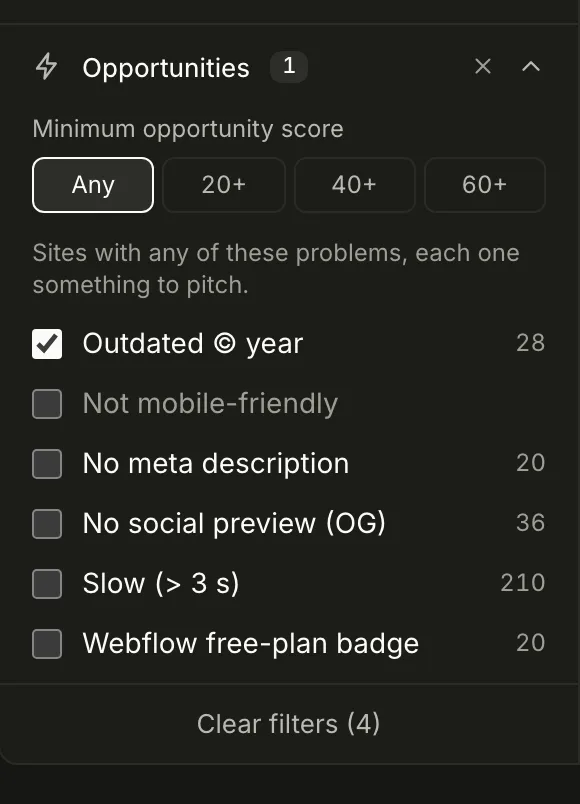
A site that looks fine and works well is a hard sell. You want sites with a problem the owner can see for themselves. Dozif checks every site for a few of these:
| Problem | What it means | Webflow sites with it |
|---|---|---|
| Outdated © year | The footer year is at least two years old | 64 |
| Not mobile-friendly | The page isn't set up for phones | 198 |
| Slow | The homepage took more than 3 seconds to respond | 322 |
| Free-plan badge | Still showing the "Made in Webflow" badge | 128 |
| No meta description | Google has to guess what the page is about | 110 |
The outdated footer is our favourite. It's a small thing, but it tells you nobody has looked at the site for a while, and it's easy to point out without sounding critical.
In the search, choose one or more of these under Opportunities. A site only needs one of the problems you pick to show up.
Step 3: Keep the ones you can actually reach
A lead without a way to contact them is just a website. Two filters help here:
- Own domain removes sites still on a
.webflow.ioaddress. Those are often unfinished projects. - Verified email keeps sites that publish an email address whose domain accepts mail.
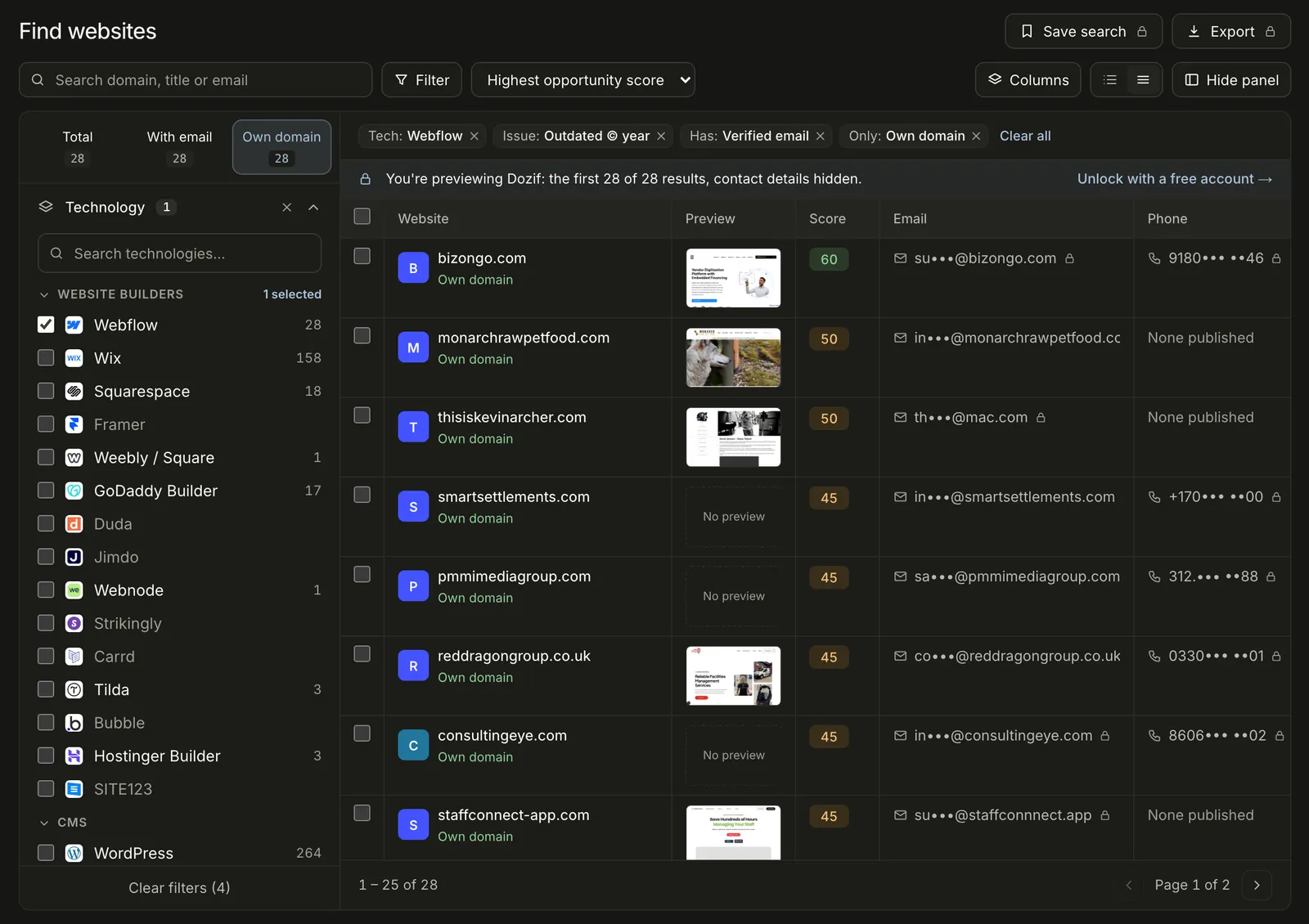
Put together, Webflow sites on their own domain with an outdated footer and a verified email come to 28. That's a list you can work through in a week.
Step 4: Sort by opportunity score
Every site gets an opportunity score from 0 to 100. It adds up the problems we found, giving more weight to the ones owners care about most: a site that isn't mobile-friendly or has an old footer counts more than one with no social preview image. A site on its own domain gets a few extra points, because it's a real business.
Sort by Highest opportunity score and start at the top. Hover over any score to see exactly why it's high.
Step 5: Write an email about their site, not about you
Most cold emails fail because they could have been sent to anyone. The problems Dozif finds give you something specific to say. Here's the kind of email that works:
Hi there, I was looking at your website and noticed the footer still says © 2021, and the homepage takes a few seconds to load on my phone. Small things, but visitors notice them. I build and fix Webflow sites for law firms. Would it help if I sent over three quick fixes I'd make first? No cost, just a short list.
It's short, it's about them, and it ends with something easy to say yes to. Whatever you send, double-check the details first. A wrong fact in the first line ends the conversation.
Step 6: Keep track of who you've contacted
Save the sites you like to a list, then update each lead's status as you go: new, contacted, replied, won or lost. Add a note when someone replies. It sounds basic, but it's what stops you emailing the same studio twice.
A few honest notes
- Our checks run on the homepage, so a site can have problems we don't see, or ones it has fixed since we last checked.
- A business publishing an email doesn't mean it wants sales emails. Keep your outreach relevant, identify yourself, and follow the anti-spam rules where you and they are based.
- The best results come from narrow lists. Fifty well-chosen sites with a personal email each will do better than five hundred templates.
That's the whole process: pick the platform you know, find the sites with visible problems, keep the ones you can reach, and write to each one like a person.